This is my first topic in etterna and i come with something that could be useful for people who stream
This is an script i was working with some help by my friend Kizuna.
Download Script
Step 1: How to Install it?
When you download the filde it may appear 3 folders
- Resources
- ScreenSelectMusic overlay
- Script
Open the folder called Scripts from the .zip and the file called "99 Util_Stream" put it here: Etterna\Themes\Til Death\Scripts
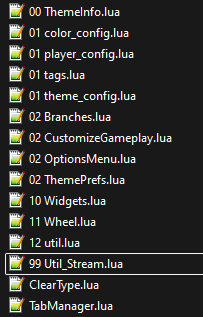
It should be looking the theme scripts folder something like the example shown on the image.
Step 2: ScreenSelectMusic Overlay
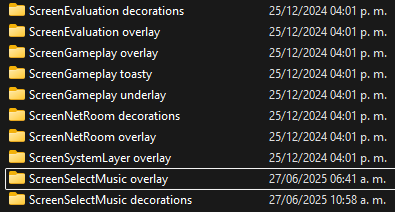
The content from the .zip called ScreenSelectMusic Overlay must be replaced in Etterna\Themes\Til Death\BGAnimations If ask for replace files just press OK, this step it’s very important because it’s the main reason why the script update images on OBS.
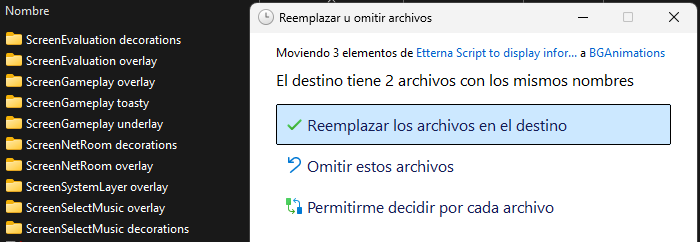
Step 3: OBS Configuration
Locate your OBS directory
Press the home button
Search OBS and Open File location
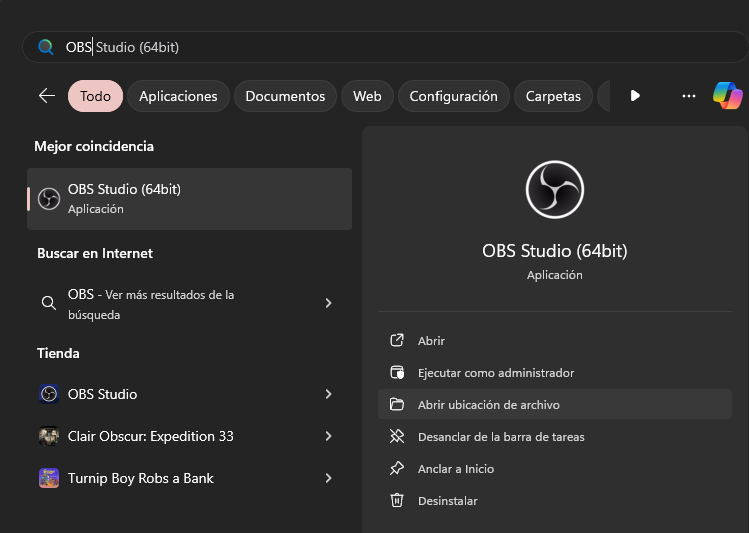
Then right click and later on properties
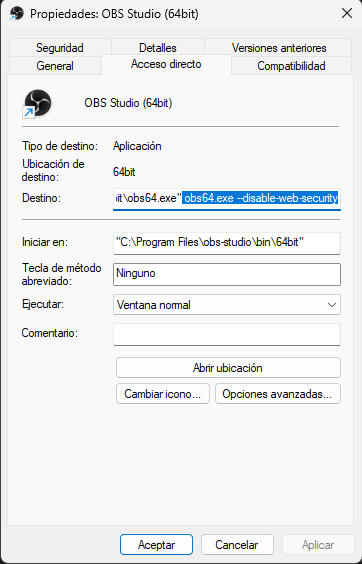
And put this
obs64.exe --disable-web-securityApply and Accept
Open the game at least 1 time after install the script and the new ScreenSelectMusic Overlay
Why? This will generate the respective files which are going to be used to be displayed on OBS
Files are generated on the root main folder of Etterna into StreamAssets
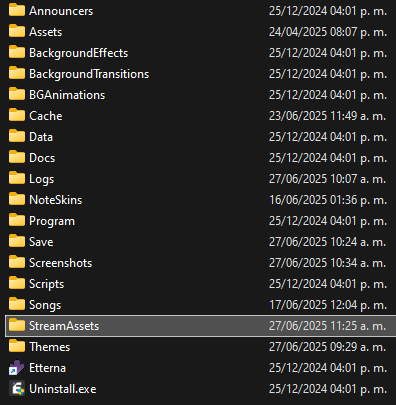
List of files generated into the folder
- currentbannerpath
- currentbgpath
- currentcdtitlepath
- currentpackbannerpath
- nowplaying
- nowplaying_artist
- nowplaying_group
- nowplaying_msd
- nowplaying_rate
- nowplaying_title
Important Note
nowplaying.txt includes all the information which is title, artist, group, msd, rate in one single line
the other files generated are just in case you wan’t to display the text in different sections of the screen in OBS
Step 3.1: Add Sources to OBS
Now go to Etterna\StreamAssets and if you pay attention they are a lot of files inside
- currentbg
- currentbn
- currentcdtitle
- currentpackbn
These ones are the ones that displays the images like background, banner, cdtittle, pack banner in OBS
The following images inside StreamAssets You can replace it to whatever you wan’t, just make sure the file extension is .png
- streamdefaultbanner
- streamdefaultbg
- streamdefaultcdtitle
- streampackbanner
If you don’t have idea of how to add a source to OBS
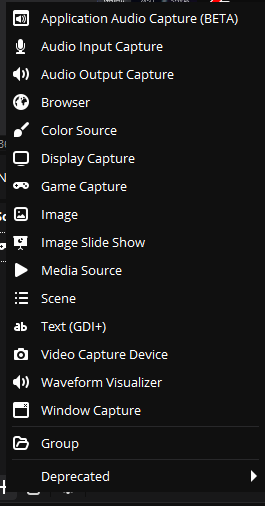
Then select Browser
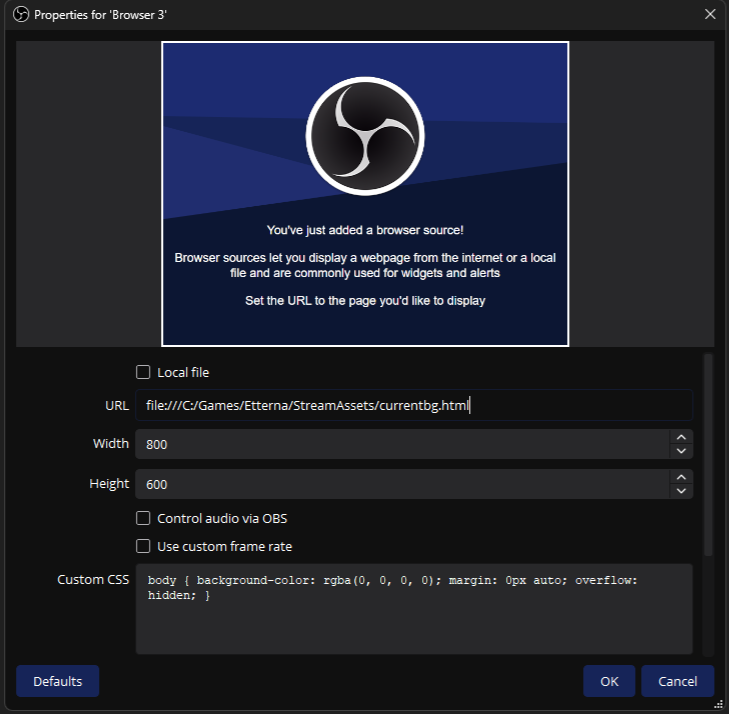
Make sure you put
file:///C:/Games/Etterna/StreamAssets/currentbg.html this correctlyThe route could be different but on my case i have installed Etterna on
C:/Games/Etterna/ Just have that on mind if doesn’t work, just be sure you put the respective route and it will work.Don’t Mark Local File Box
To display texts on OBS
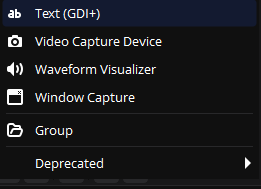
Then select the route Etterna/StreamAssets/nowplaying.txt if you wan’t to have other files of text just add more sources
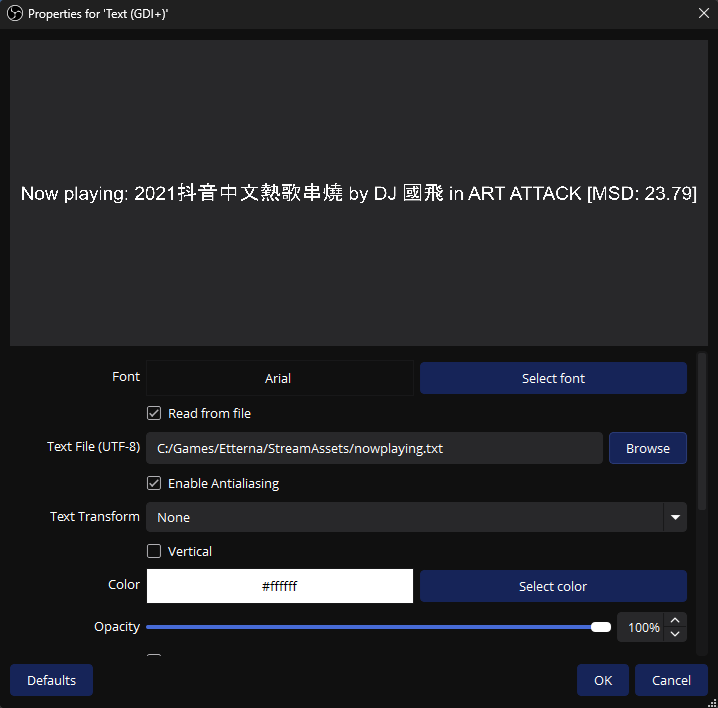
And that’s it you finished all the steps regarding to load the texts and images of the songs in OBS.
If you did everything correctly it should look like the next video:
The video has no sound.
If you followed the steps it should work. That’s everything from my side enjoy it!
Update: 06/27/2025
- Fixed the lack of code for ScreenSelectMusic Overlay
- Added some code suggestions by Samctuary Shoutouts btw
- For Now Just Work On Til’Death, but i have intentions to make it work for other themes