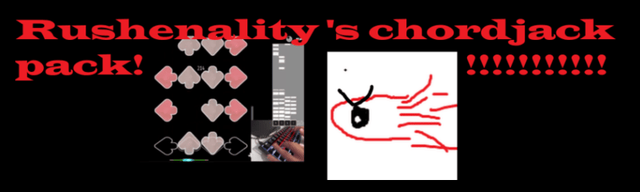
My first pack filled with 20 songs to help with chordjacks.
variety of chordjacks skillsets mainly dense.
download link: Chordjack practice by Rushenality – Google Drive
song list
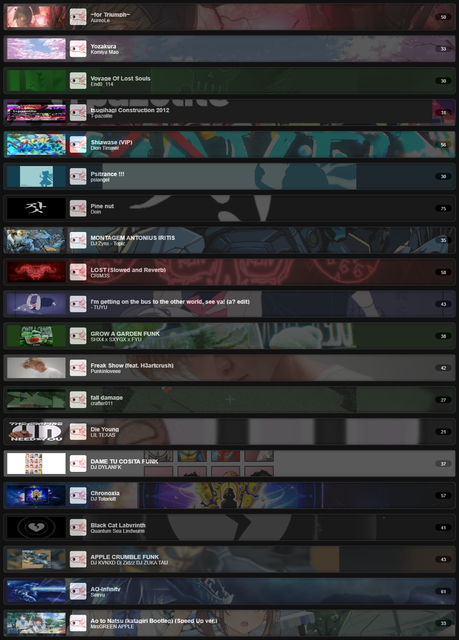
My first pack filled with 20 songs to help with chordjacks.
variety of chordjacks skillsets mainly dense.
download link: Chordjack practice by Rushenality – Google Drive
song list
When you publish a pack, please compress it into a zip or rar file to make it easier to download.
Since Etterna does not have a “skip intro” feature like osu, any chart with a very long empty beginning needs to be trimmed. You can do this by cutting the audio with an audio editing tool such as Audacity.
Also remember to open “Chart properties” in arrow vortex and enter the name of the charter in each chart. Please note that the charts do not have a preview segment set. You can do this by pressing the tab key at the beginning and then at the end of the segment you want to play in the preview. Then, to apply it, go to “SIMFILE properties” and press “set region.”
If you want to start creating packs, learning how to use Arrow Vortex is essential. 
ty for all the feedback ill ty my best to figure out how to properly use arrowvortex.
Actually, please only use ZIP, with a folder structure of Pack Name/Song Names/. Any other format means I have to fix it and recompress it. RAR is a proprietary archive format which prevents our tools from working, and reduces ease of access to the end user.
Edit: This is for pack ranking, but it’s certainly good practice to follow these guidelines in general as they are very basic.
If you need help, you can ask on Etterna’s Discord server. I’m sure someone will be able to help you with something specific in #charting-general chat. 
i believe i have now fixed every mistake offset and timing whise. i also tweaked a few charts and replaced 1 song and recharted another. also made it a zip file now
now it should up to standard👍
Good job fixing the charts, I think everything is correct in sync. 
I think that would be great. And if you want to be more organized, you could change the names of the files, for example:
I fixed the missing step artist on Yozakura
I fixed all the subtitles
I organized the bg and bn names to be bn and bg now
should i upload this thread to pack ranking on the discord server if its eligible now?
You could do that, I think everything is correct.